We had a great start to the year and an incredible last quarter with the launch of Rocket.Chat SIX, our proudest version yet. Head to our webpage to know more about what’s new in Rocket.Chat SIX, and try it out if you haven’t already.
There is no slowing down this quarter — Rocket.Chat 6.2 is live! From the support for Google Analytics 4, and the much-requested message forwarding feature, all the way to introducing a moderation dashboard and new functionalities to Google Workplace suite of apps, there is a lot to unpack.
01Introducing an actionable Moderation dashboard
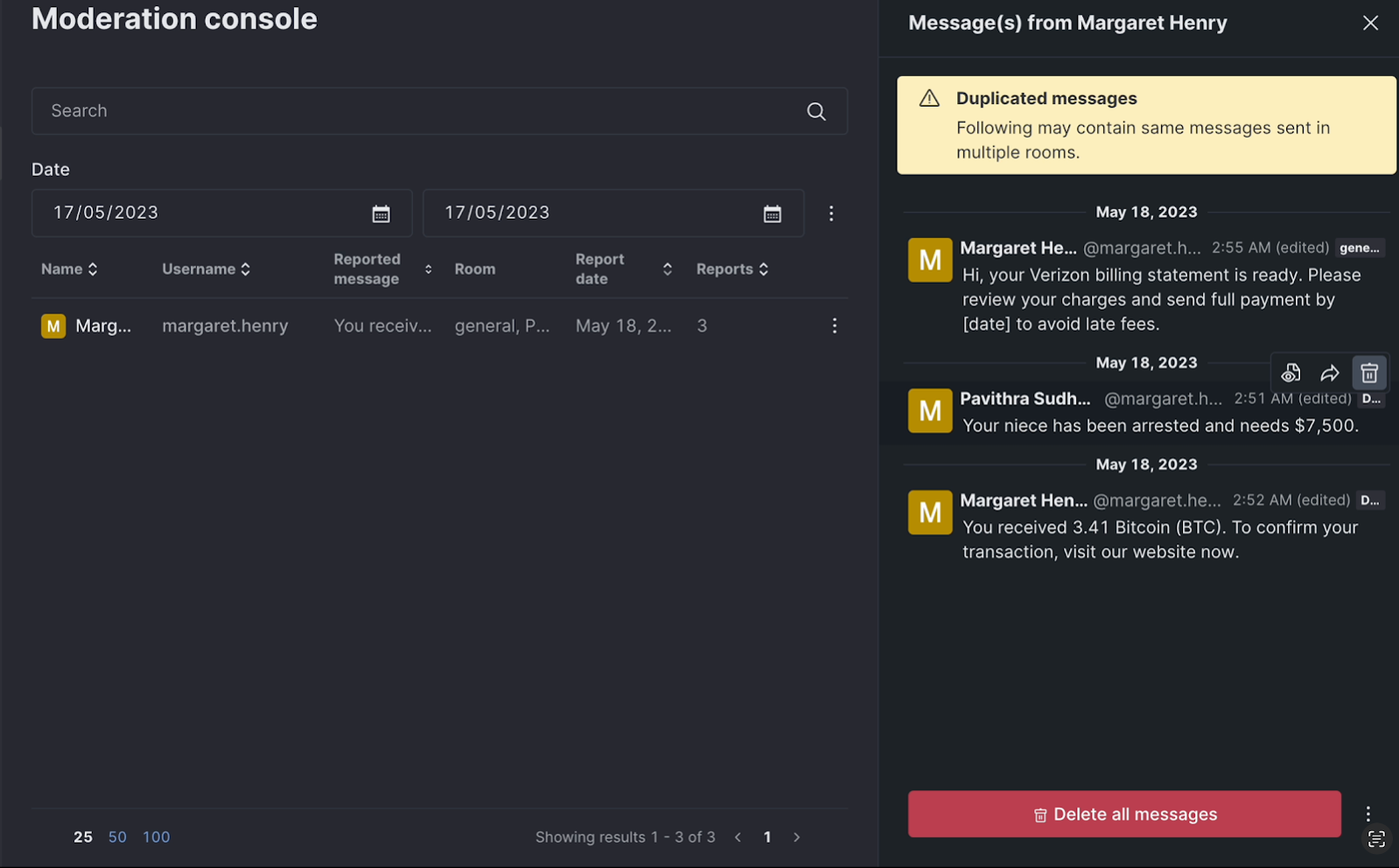
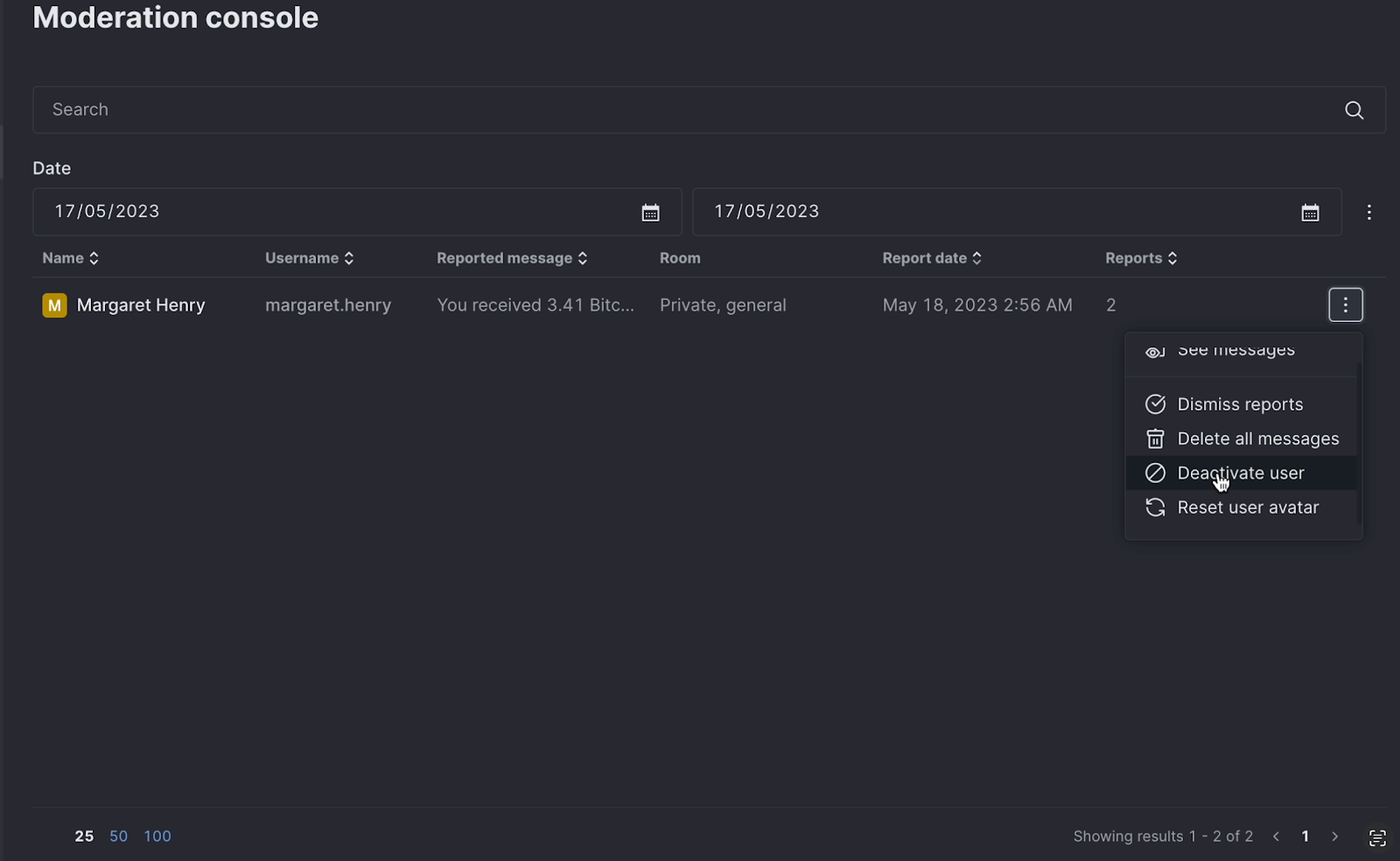
We are introducing a beta version of the Moderation Dashboard for workspace admins and moderators in the most recent release of Rocket.Chat so they can view the reported messages and take appropriate action against detrimental users.
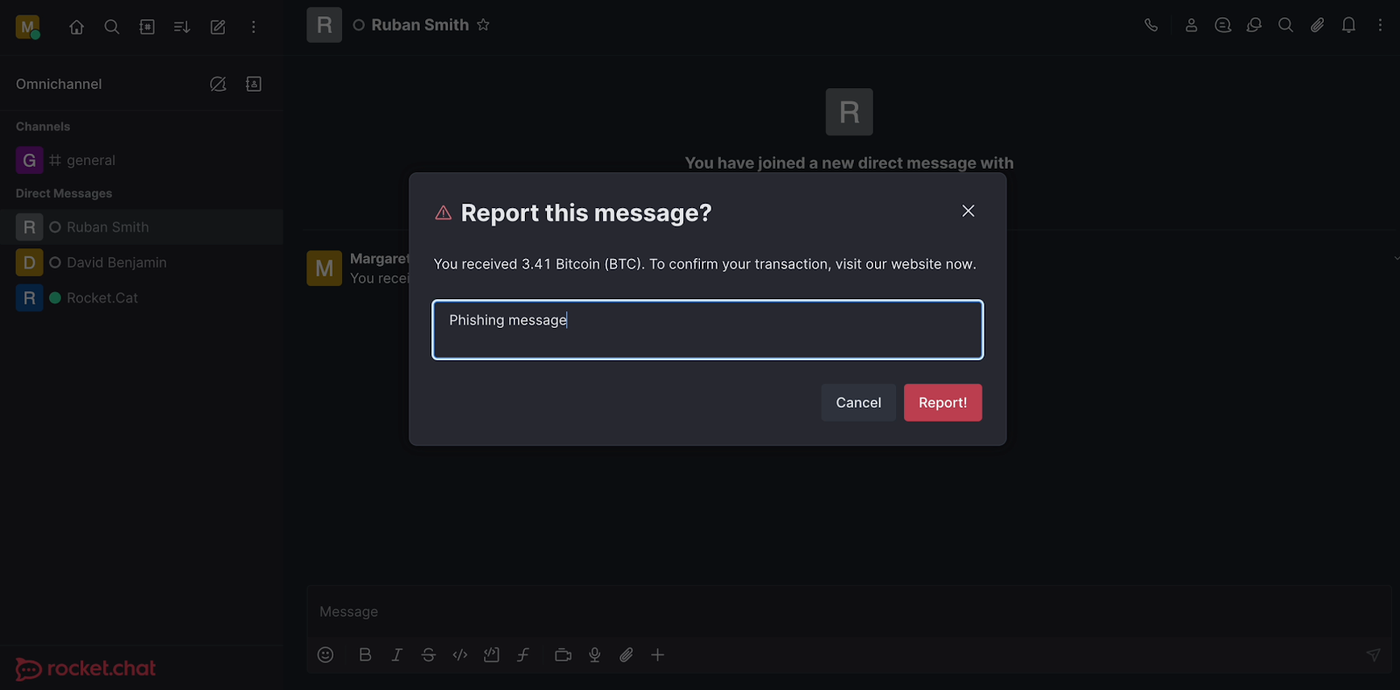
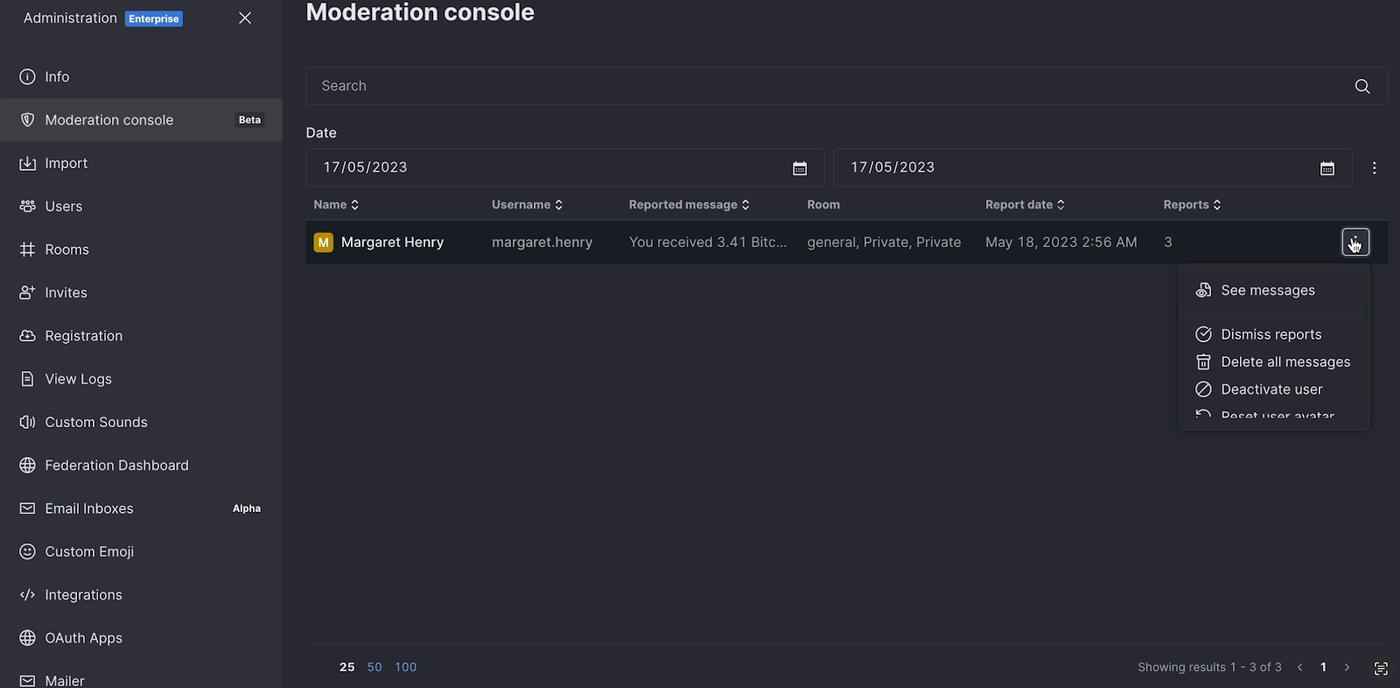
Moderators uphold community rules, making sure that conversations are civil and devoid of harassment, hate speech, and personal attacks. This fosters a sense of trust and encourages individuals to express their opinions openly without fear of backlash. By actively managing the channels, moderators can foster a positive atmosphere that promotes healthy interactions and inclusivity. This is where our actionable Moderation Dashboard comes handy. The user whose communications were reported is indicated in each row of the dashboard, and by clicking on the user, you can also view the reported message. From right within this dashboard, you can view and delete the reported messages, deactivate the reported user, reset the user avatar and access the reported message directly for more information. The moderation dashboard is available to Community and Enterprise Edition users.
Message forwarding is now available
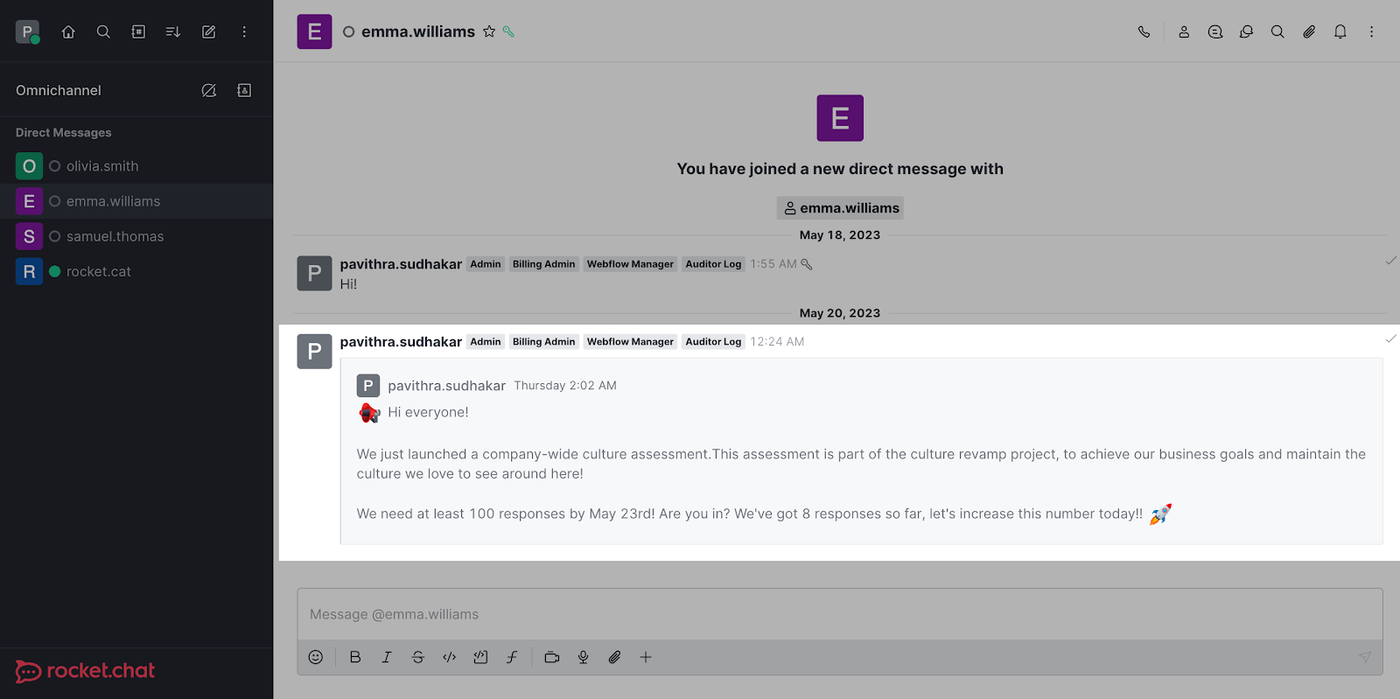
The ability to forward messages to another channel, thread, or discussion is now available in Rocket.Chat 6.2. You can forward messages directly to any user, channel, thread, or discussion where you have the access to send messages. You can select a message and share them with an unlimited number of recipients.
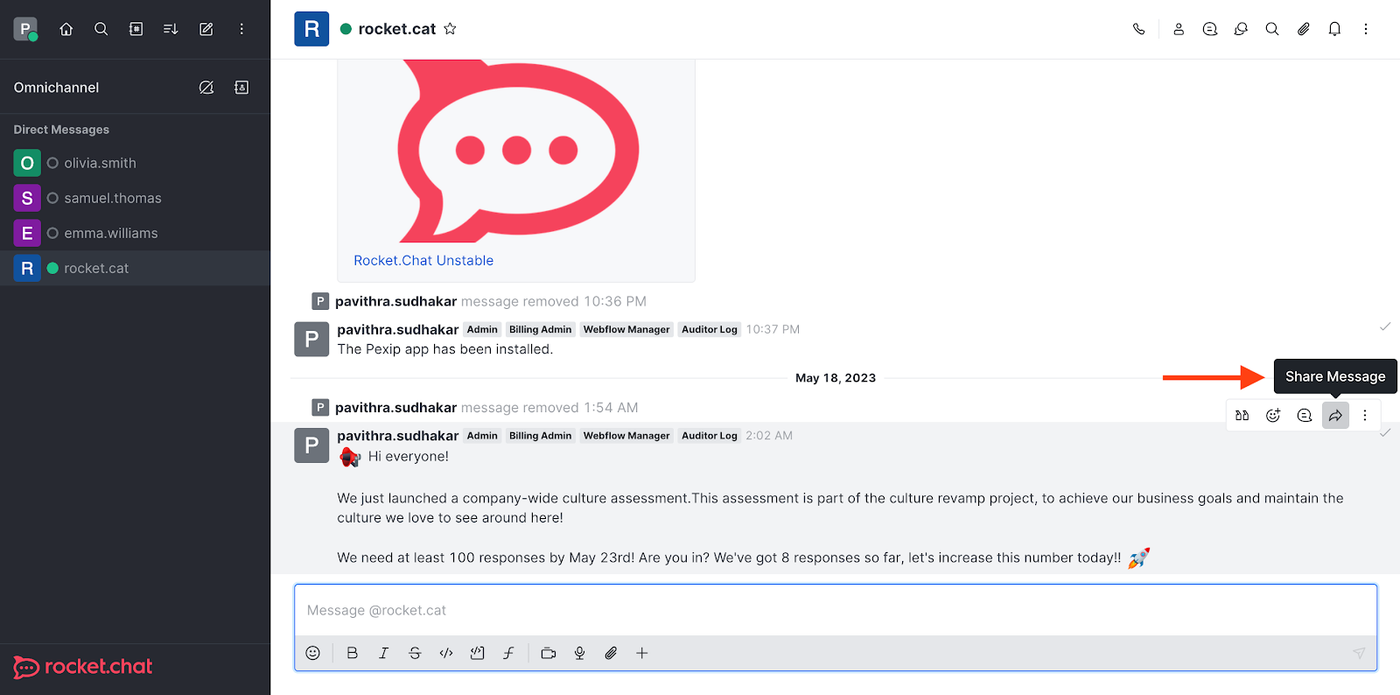
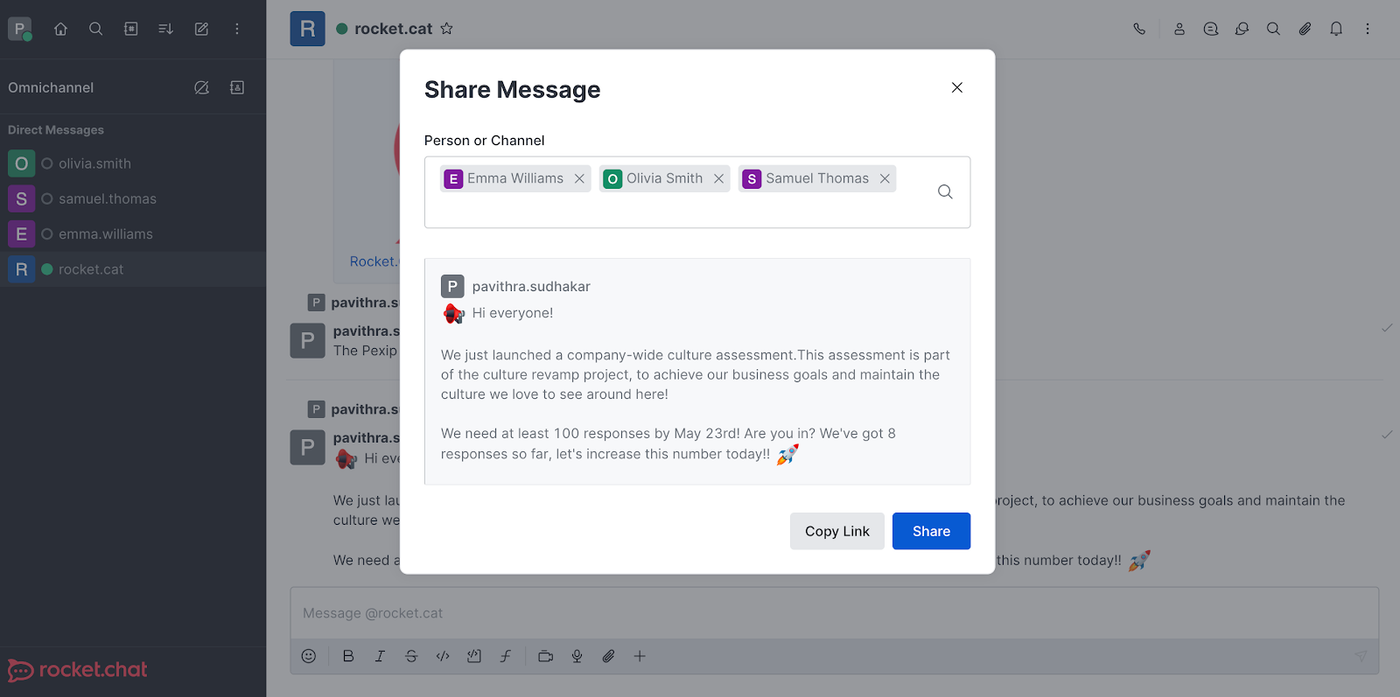
It saves time by eliminating the need to send individual messages and ensures everyone is on the same page by sharing messages with multiple users in one go. This feature is particularly valuable for efficiently sharing important information through different channels and engaging with a larger audience. It offers benefits such as time efficiency, streamlined communication, enhanced collaboration, and convenience.
Support for Google Analytics 4
Google Analytics 4 is replacing Universal Analytics, and the standard Universal Analytics properties will cease to process data on July 1, 2023. Google highly advises all of its users to upgrade to Google Analytics 4 as soon as possible. We are now providing support for Google Analytics 4 without compromising on the universal GA3 support.
Link custom domains automatically
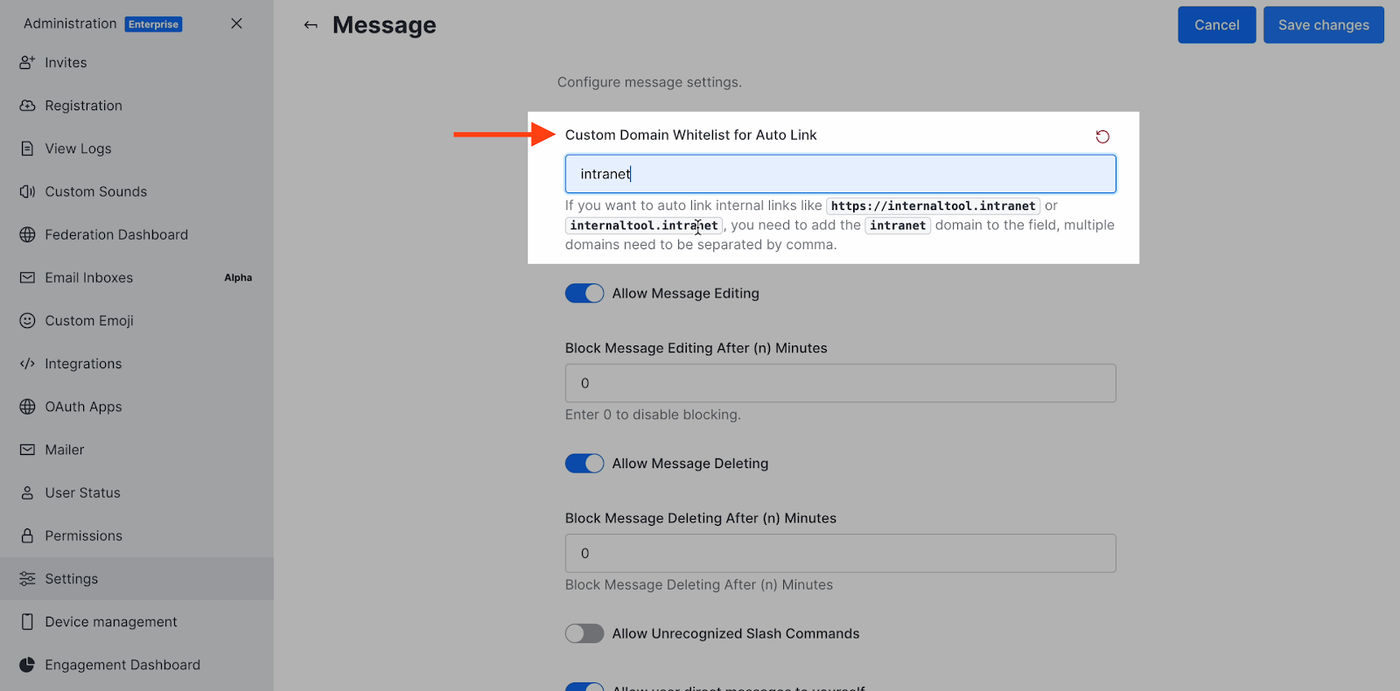
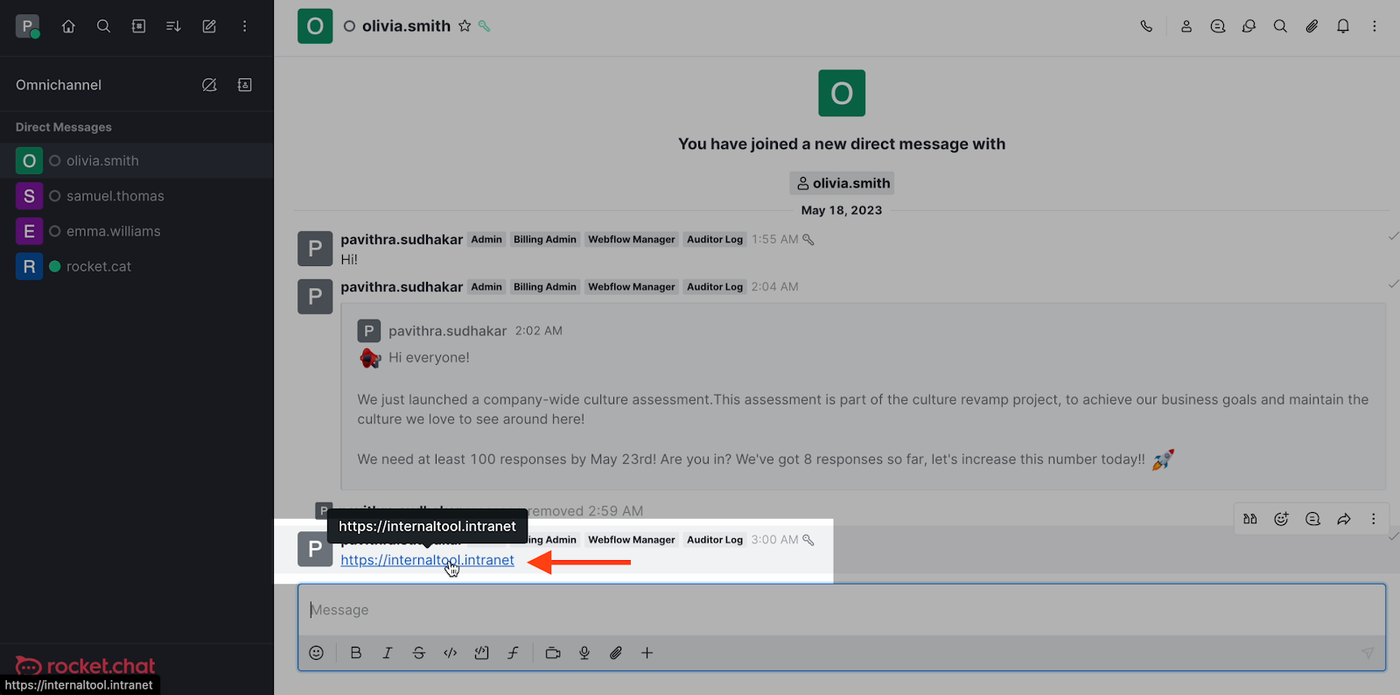
Today, when you share a local server link (for example, http://gitlab.local), the link is not clickable. For such internal links to be clickable, you need to whitelist the corresponding custom domain. Navigate to the Admin panel > Settings > Messages > look for the 'Custom Domain Whitelist for Auto Link' setting and add custom domains of your choice. When you're finished, you'll see that when you send a message with a URL including the custom domain, it becomes clickable.
Enhancements
Adding new capabilities to the Google Workplace suite of apps
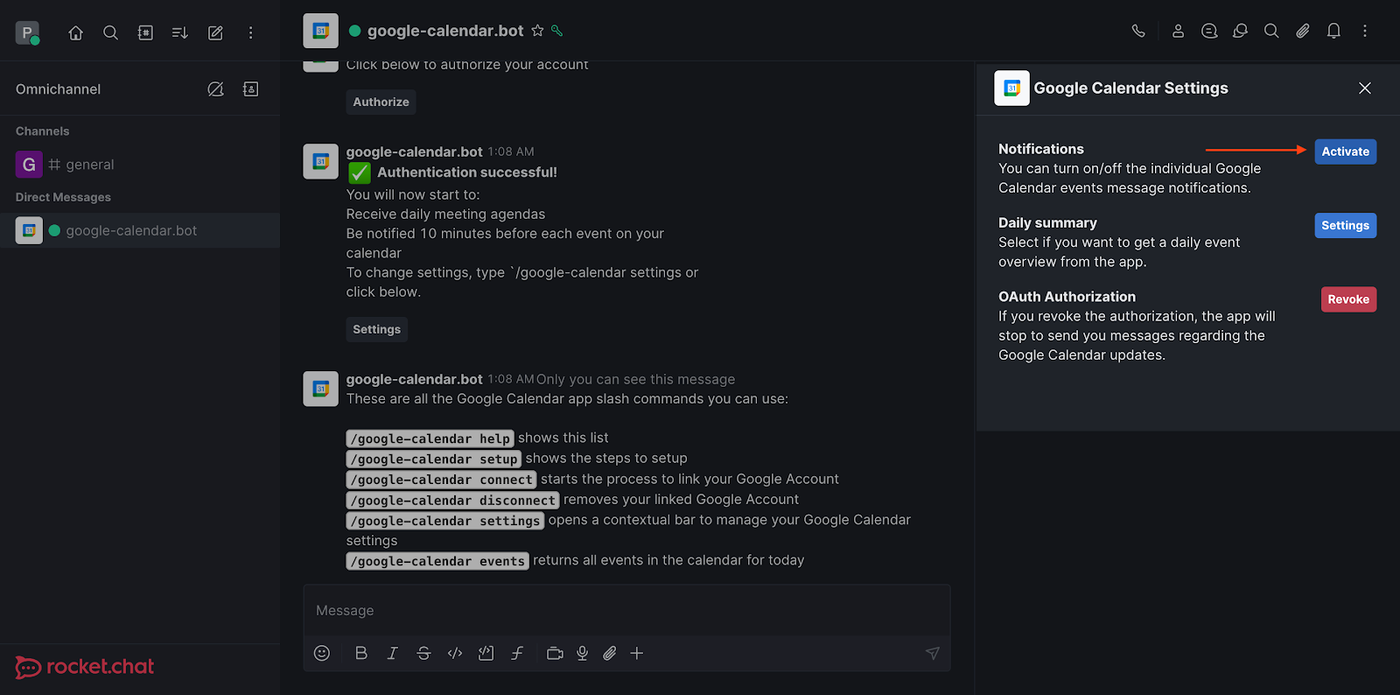
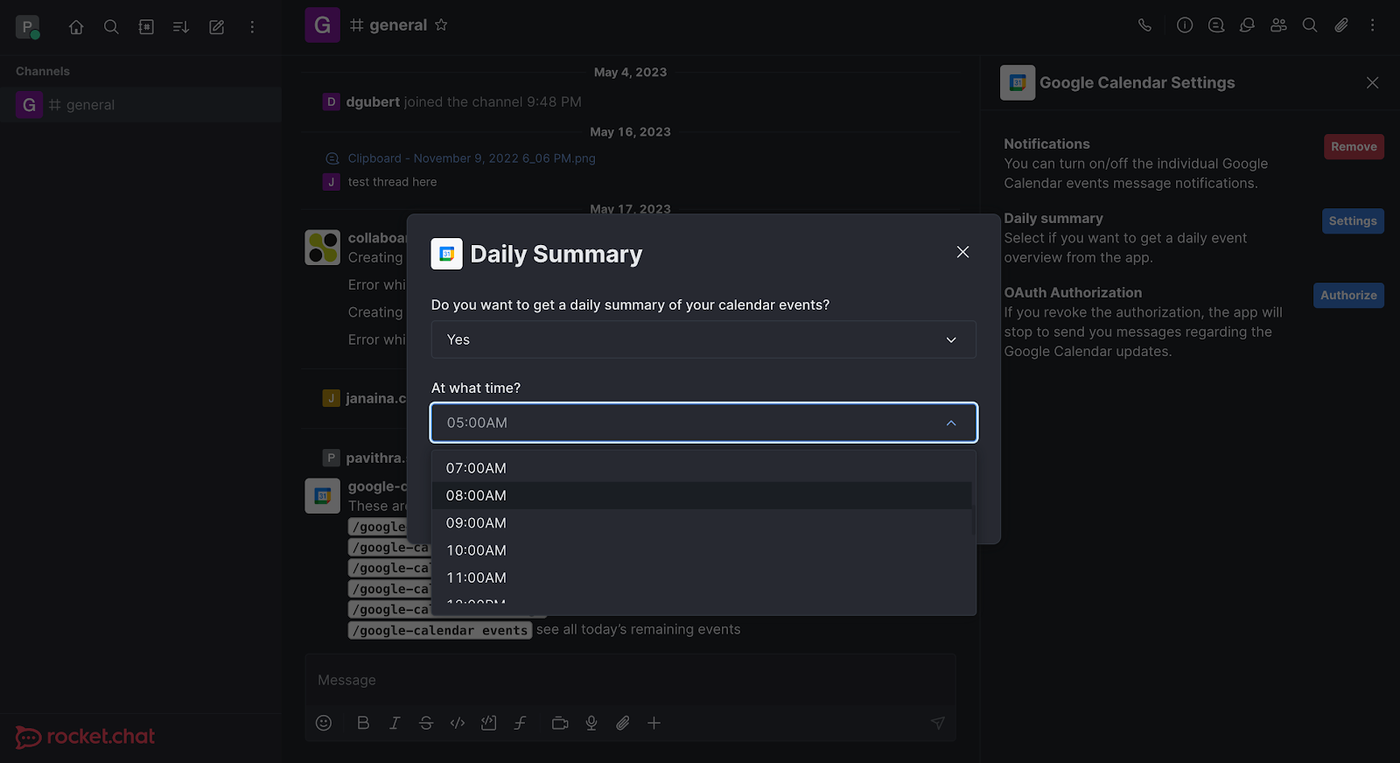
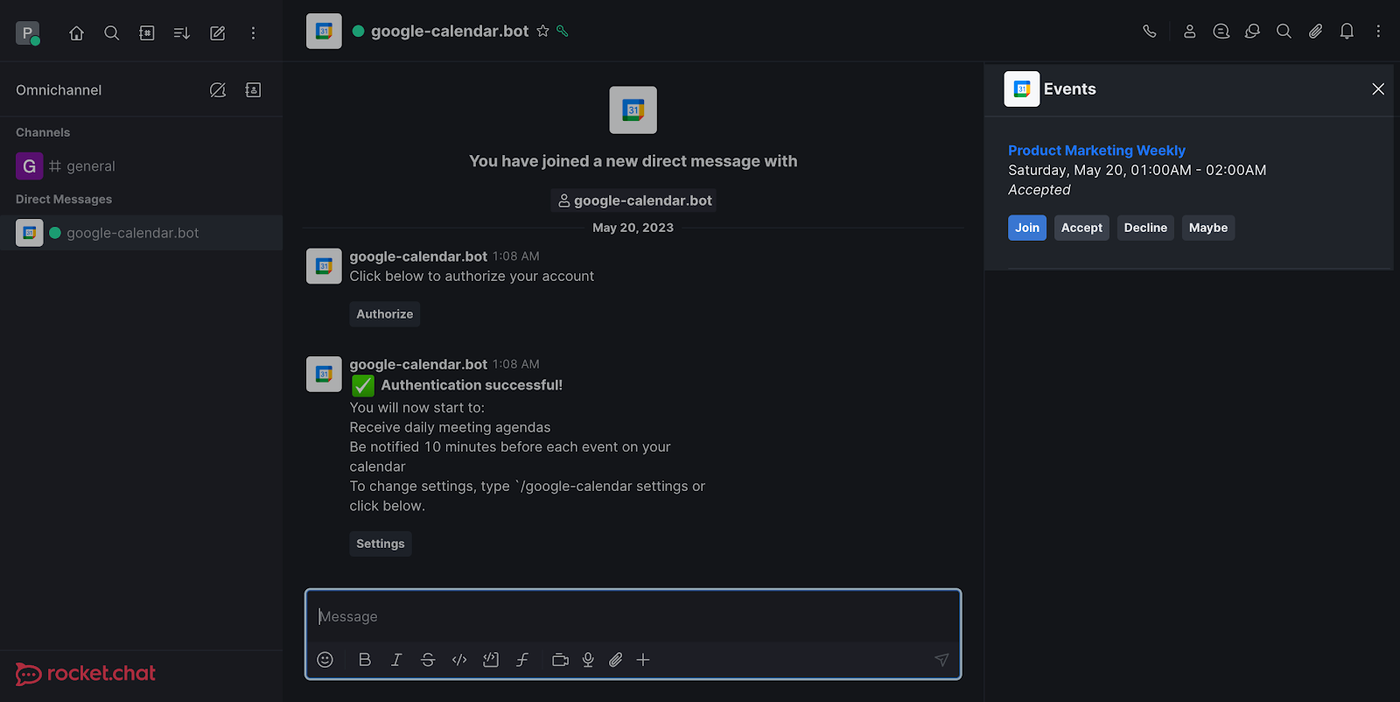
We are updating the Google Calendar app with a few additional features. You can now receive timely reminders before every meeting to never miss an important event. Additionally, you can select a preferable time in your timezone for receiving an email including your daily summary. Save yourself from the hassle of switching tools, and respond to Google Calendar invites directly from Rocket.Chat. Your user status will be changed automatically to reflect that you are in a meeting to let everyone know. These functionalities will only be available to workspaces running version 6.2.0 and higher.
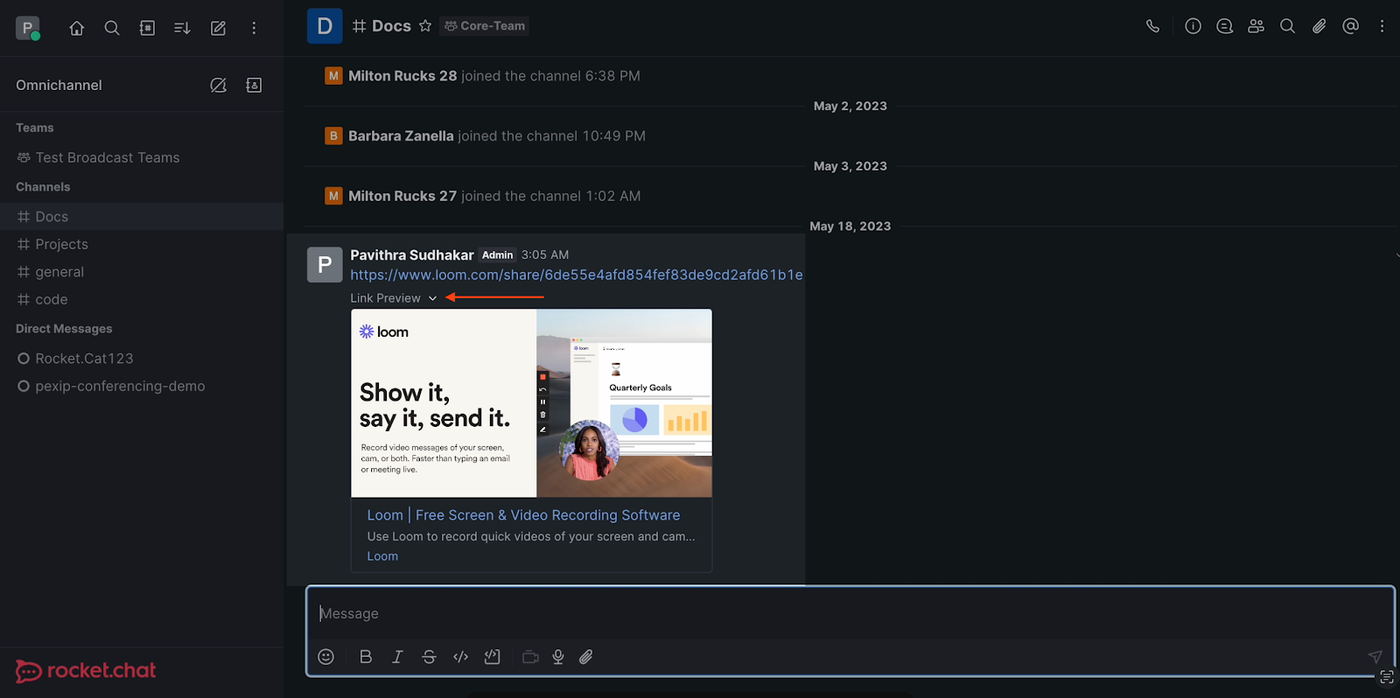
Support for embedded Loom links
Previously, the embedded representation of the Loom video URL was not visible. Loom video links will now display an embedded representation of the URL given, ensuring a better user experience for teams using Loom.
Support for Galician language
The onboarding page and forms are now available in Galician.
Resolved issues
The following bugs were fixed in Rocket.Chat 6.2:
- The /help commands in the Rocket.Cat channel will now render the shortcut for marking all messages as read.
- TOTP will no longer be necessary when you attempt to login after resetting your password.
- The user interface for apps will now accurately reflect the user’s current status at all times.
- When an agent sends a quote message to a WhatsApp user, the system will no longer send a link to the server as well as the message ID and room ID.
How to update your workspace to the latest Rocket.Chat version?
SaaS workspaces
The release happens automatically on our cloud, so no further action is required from your side. However, remember that upgrading instances might take a few weeks, so don't hesitate to contact our support team if you need to update your version sooner.
Self-managed workspaces
Depending on the installation mode, you might need to update your server manually. Check out our documentation for instructions.
Still not using Rocket.Chat? Take the first step by starting a free trial.